
Each ticket now has its own Kanban board for internal task management. No more internal emails, no forgotten tasks.
A client reports a problem. You open a ticket, reply to let them know you’ve received the request — and then the real work begins. Someone needs to analyse the situation, someone else fix it, a third person test before you can tell the client it’s resolved. That internal part often ends up in Teams, on paper, or — worst of all — only in one person’s head.
As of this week, there’s a better place for it.
Kanban Board Inside a Ticket
Every ticket in UnitLook now has its own Kanban board. This isn’t an alternative view of the ticket list — it’s a space for the internal team, separate from client communication.
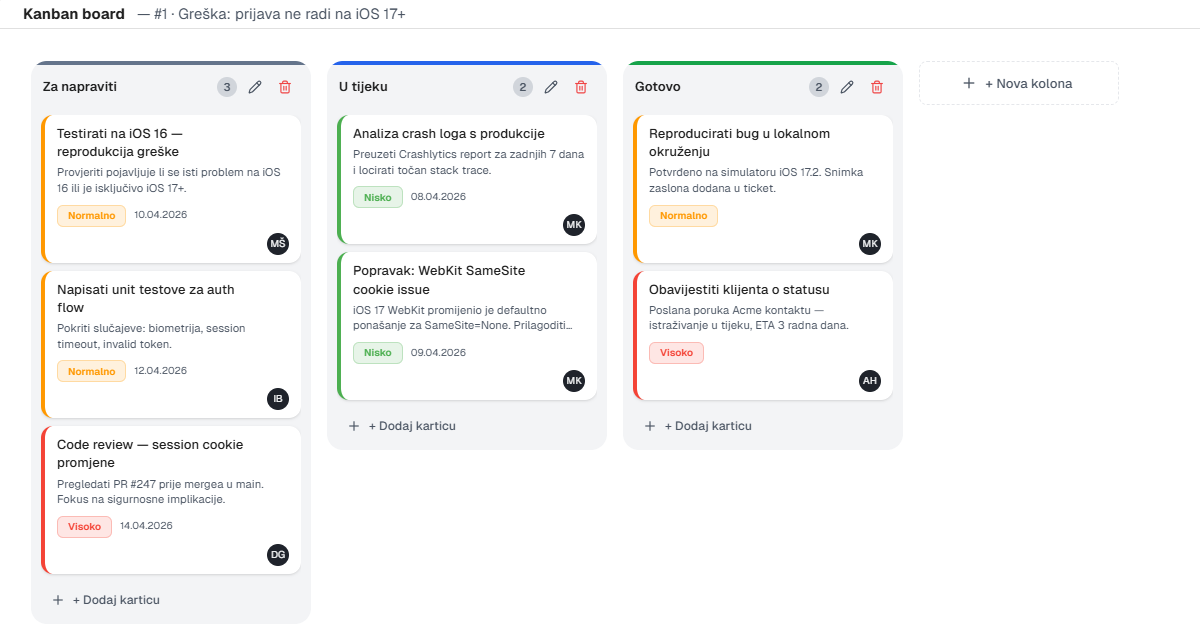
When you open a ticket, alongside the communication thread you’ll find the Kanban board. By default it has three columns:
- To do — tasks waiting to be picked up
- In progress — actively being worked on
- Done — completed
Cards are not messages to the client. Cards are internal tasks: “Check production log”, “Fix SQL query”, “Test on staging and confirm”. Each card can have a name, description, assigned person, priority and deadline.
Client communication and internal task management are two different things — and they deserve two different tools.
Drag & drop movement
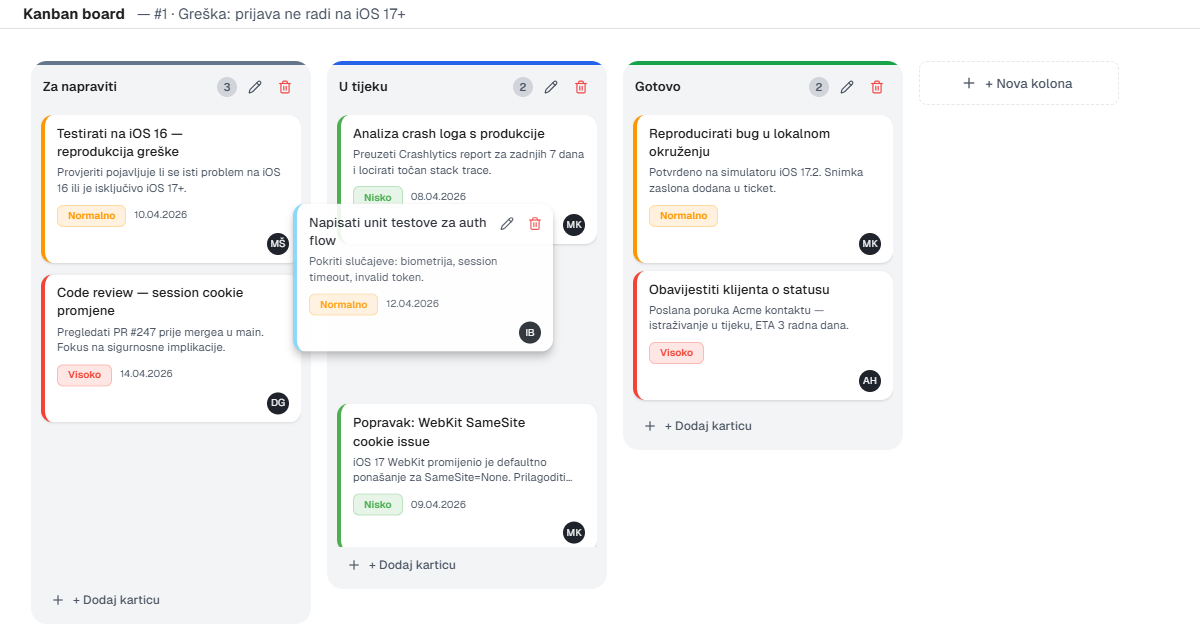
When a task is picked up, the card moves to “In progress”. When it’s done, you drag it to “Done”. One move, status updated, everyone sees the progress.
Columns are not fixed — the team can rename them, add new ones or delete. If your workflow has five steps, the Kanban board can have five columns.
Why Separate from Communication
The client doesn’t care who does what internally and in what order — they care about the result. The Kanban board is a space not visible to the client; the team can openly track progress without any filter.
Everything stays tied to the same ticket. Context is never lost, never searched through emails, never reconstructed at the next standup. Open the ticket and everything is there — both the client conversation and the team's internal tasks.
Start with Your First Ticket
Open any active ticket and look for the Kanban tab. Add three cards, distribute them to the team — and you’ll immediately see if this way of working suits you.
If you have suggestions for improvements — new card types, column colours, notifications — let us know.
Author
Igor
UnitLook team — we build the tool that makes everyday work easier for teams.
Interested in UnitLook?
Request a free demo and see how UnitLook can help your team — no commitment required.